

Loom · paste a link
How to import a Loom video by pasting the share URL
Direct answer
Yes. Open the Loom on loom.com/share/..., copy the full URL from the browser address bar, paste it into Provoon Import under Loom, and click Get Loom video. Preview the clip, then Add to wall - nothing goes public until you approve it and place it on your Wall of Fame.
Why paste a Loom share URL
Loom already holds customer demos, walkthroughs, and async praise with a stable share link. Downloading and re-uploading is slow. Provoon takes the same loom.com/share/... URL you already have open, loads a preview, and lets you Add only the videos worth showing next to pricing or a Wall of Fame.
How to import Loom into Provoon
- 1
Copy the Loom share URL from the address bar
Open the video on Loom. Select the full URL in the browser address bar and copy it. A good link looks like loom.com/share/abc123... - not a workspace home or a truncated invite.
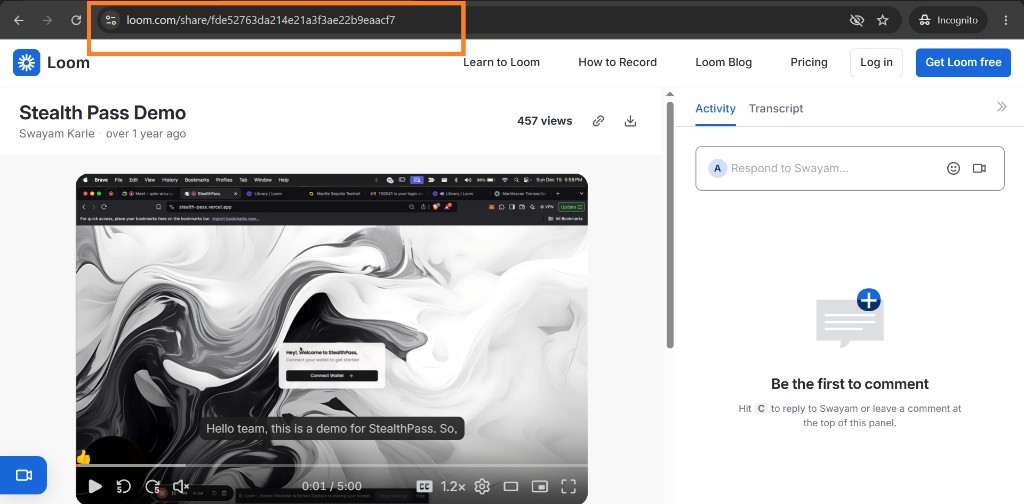
Loom share page with the browser address bar highlighted so you can copy the share URL - 2
Paste it in Provoon and get the video
In your wall, open Import, choose Loom, stay on Import from URL, and paste into Loom Video URL. Click Get Loom video. Provoon loads a preview so you can confirm the right clip before saving.
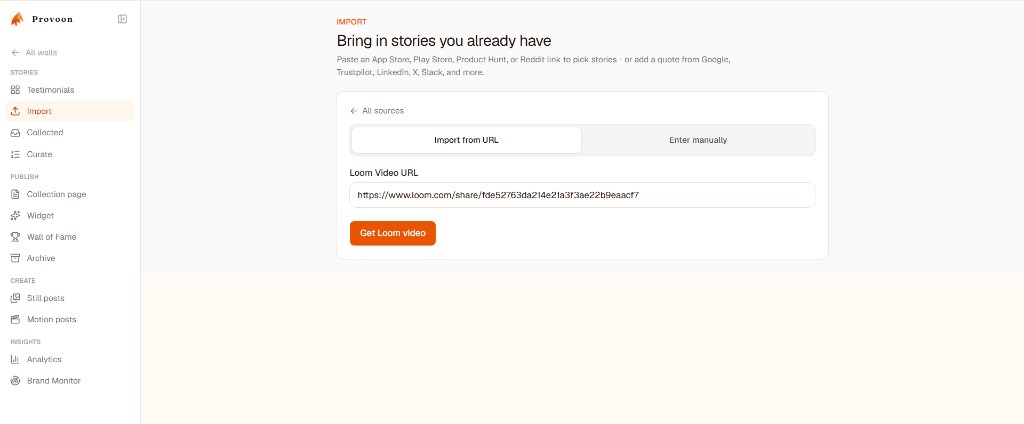
Provoon Import screen with a Loom share URL pasted and Get Loom video button ready - 3
Preview, then Add to wall
Check the title and preview player. Click Add to wall if the video helps buyers. You can paste another Loom share URL anytime for the next story.
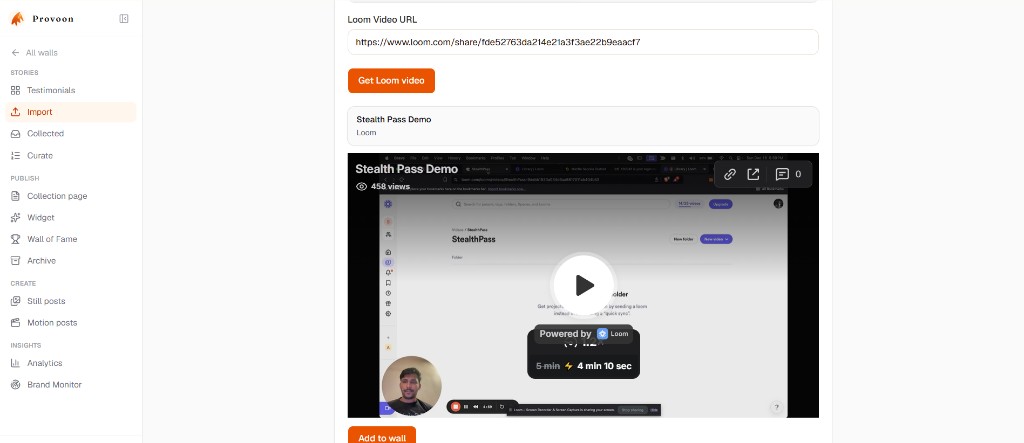
Loom video preview in Provoon with Add to wall button ready - 4
Approve and show it on your Wall of Fame
Open Collected if the story needs approval, then include it in Curate / Wall of Fame or an on-site widget. Imports and fresh collection submissions share one inbox, so Loom clips can sit next to YouTube, TikTok, or Google reviews.
What gets saved from Loom
Each Add stores the video title, author name when available, a Loom source badge, and the share URL as the linked source. The clip is saved as a video story. Edit carefully without changing meaning. Only republish videos you have the right to show.
Practical tips
- Prefer loom.com/share/... from the address bar over a workspace-only link.
- Confirm the video is shareable - private Looms may fail to preview.
- Nothing auto-publishes. Add, approve, then place proof near decisions (pricing, booking, CTA).
- If consent feels unclear, leave it out or ask again with a Provoon collection link.
FAQ
Do I need a Loom API key?
No. Paste a public Loom share URL. Provoon does not ask you to create a Loom developer app.
What Loom URL should I copy?
Open the video and copy the full URL from the browser address bar - typically loom.com/share/ID. Avoid the Loom home or library page alone.
Do imported Loom videos publish automatically?
No. Preview, click Add to wall, then approve and place them on your Wall of Fame like any other story.
Will new Looms from that account sync later?
Treat import as a curated pull, not a live mirror. When you want another clip, paste that share URL and Add again.
Keep going
Have the Maps link ready? Paste it in Provoon, Add the reviews you want, and publish the wall.